12. Change database structure an app is running on
00:00 we can further enhance the app to fit our needs
00:04 for example, we want to add a "unit of measure UOM" for the online shop products/services
00:09 so we go back to home workspace
00:14 go to the structure of the table "site_Post"
00:18 to modify a table structure, we need to have thorough understanding about the app design
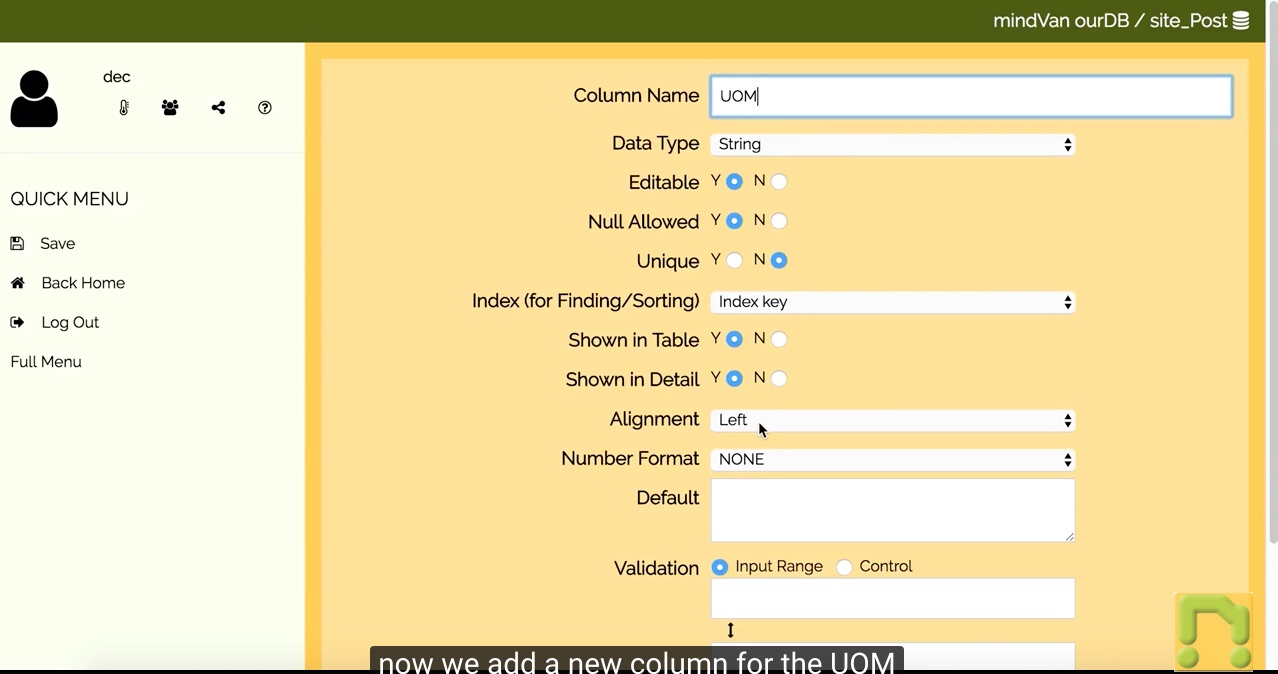
00:25 now we add a new column for the UOM
00:42 after the re-design is completed, switch the table ON
00:47 go back to the records..
00:51 we can see the fields for the new column are blank
01:07 we may edit the records one by one and add back the missing data
01:36 but we may use query to update a number of records
01:48 we first specify the searching criteria..
01:56 and then specify a column's new value..
02:06 and click "Run Query"
02:09 the returning results are just for preview
02:15 to apply the changes, click "Execute.."
02:23 repeat the same for another group of records
02:54 now go back to the records..
03:00 and make sure the relevant records' values have been updated